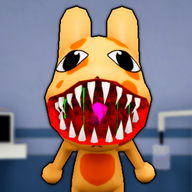
Surviving the Night: How to Use the Animal Hospital Anomaly Eye Drops Against the Mass of Eyes
Learn how to use the animal hospital anomaly eye drops and counter every patient, CCTV, and hazard anomaly in the Roblox horror game.
Running a medical facility in Roblox's popular horror game can be a chaotic experience, especially when dealing with paranormal entities. To survive the dangerous shifts, players must learn how to handle various threats, including the terrifying Mass of Eyes. Knowing how to use the animal hospital anomaly eye drops is essential for keeping your character safe during these encounters. Understanding when and how to deploy the animal hospital anomaly eye drops can mean the difference between a successful shift and a sudden, sanity-draining jump scare.
In this comprehensive guide, we will break down how to handle the Mass of Eyes, how to utilize your inventory items, and how to spot every single anomaly hiding in your facility.
Understanding Hazards: The Mass of Eyes Anomaly
The Mass of Eyes is one of the most unsettling hazard anomalies you will encounter during your shift. Unlike standard patients who walk through the front door, this entity bypasses the reception area entirely. It manifests as a grotesque, fleshy blob covered in blinking eyes, clinging directly to the ceiling of a room.
When you encounter this creature, you have two primary options to handle it. The most direct method is to interact with it using the correct medical item. By approaching the creature, the player can obtain and use the animal hospital anomaly eye drops to neutralize this threat. Alternatively, if you do not have the item on hand, player experiences suggest that you can simply avoid looking at the ceiling. If you successfully avoid eye contact for the duration of the shift, the anomaly will disappear when your shift ends.
Patient Reception Anomalies and How to Spot Them
Your first line of defense in the hospital is the reception desk. When patients arrive to check in, you must carefully inspect their physical features before allowing them entrance. If you notice anything unusual, your primary action is to close the reception shutters to turn them away.
Below is a detailed breakdown of the anomalies you can spot during the initial check-in process:
CCTV and Photo Anomalies: Advanced Detection Methods
After completing your first shift, you will unlock access to the security camera system. This tool is vital because some anomalies look completely normal when standing at the reception counter. While the security cameras and polaroids help you filter out monsters at the door, hazards can still slip through. In these moments, compared to other items, the animal hospital anomaly eye drops serve a very specific purpose, whereas the camera system helps you catch shape-shifters before they enter.
CCTV Anomalies
Monitoring the CCTV feed allows you to see the true form of the entities standing at your desk. If you spot any of the following visual discrepancies on the monitor, you must immediately deny entry.
Photo Verification Anomalies
As part of the standard check-in protocol, you must take a polaroid photo of each patient. Mismatched details in the developed photograph indicate that the patient is an imposter.
Managing Hospital Hazards and Entities
Even if you run a perfect reception desk, hazards can still spawn inside the hospital hallways and patient rooms. These hazards require immediate, specific countermeasures to keep yourself and your patients alive.
If you do not have the animal hospital anomaly eye drops on hand, you must avoid looking at the ceiling when the Mass of Eyes is present. Many players wonder if the animal hospital anomaly eye drops can be used on other creatures, but community reports show they are exclusively for the Mass of Eyes. Other hazards require completely different tools, such as firearms, tasers, or fire extinguishers.
Item Countermeasures and Survival Strategies
To survive the night, you must manage your inventory and know which tool matches each threat. Always keep the animal hospital anomaly eye drops in mind when entering a room with a ceiling threat. Keeping a mental checklist of your tools will help you react quickly when an anomaly appears.
By understanding these item interactions and keeping your eyes on the ceiling, floor, and security cameras, you can successfully manage the hospital and protect your patients from the supernatural forces trying to break in.
Frequently Asked Questions
How do I get the animal hospital anomaly eye drops and use them?
The eye drops can be obtained during your shift and are used specifically when you find the Mass of Eyes anomaly hanging from the ceiling. Equip the item, approach the creature, and offer the drops to neutralize the threat safely.
What happens if I look directly at the Stalker?
If you look directly at the Stalker when it spawns in the hospital, your Sanity will rapidly drain. To avoid this, keep the Stalker in your peripheral vision, look away immediately, and do not make direct eye contact.
Can I stop Slimebert from eating my patients?
During Toxic Shifts, Slimebert will roam the halls and attempt to consume both you and your patients. While you cannot kill him permanently, you can use the fire extinguisher to stun him, which frees any trapped patients. Holding Cough Syrup will also protect you from taking damage if he attacks you.
What should I do if a patient has mismatched ears in their photo?
If the polaroid photo you take during check-in reveals that the patient has mismatched eyes or ears, this is a photo anomaly. You must immediately close the reception shutters to deny them entry into the hospital.
Sources
Related Guides
Animal Hospital Anomaly Medicine: The Complete Survival Guide
Learn how to identify and counter every anomaly in the Roblox horror game Animal Hospital with our comprehensive survival guide.
Animal Hospital Anomaly UV Camera Guide: How to Spot Every Threat
Learn how to detect and defeat every threat in Roblox's Animal Hospital using CCTV, Polaroids, and key defense mechanics.
Mastering the Animal Hospital Anomaly Taser: A Guide to Survival Weapons
Learn how to effectively use the animal hospital anomaly taser, pistol, and fire extinguisher to survive the horrors of this popular Roblox experience.